
FAQ
What is KodamaDict?
KodamaDict is a next generation Japanese-English Dictionary App. It’s designed and developed by people who are actually studying Japanese and it is being made so that it solves real problems that the learners encounter.
Is it mobile or desktop app?
Both. Currently KodamaDict is available for mobile devices with iOS and Android and desktop devices running macOS or Windows.
Why another dictionary?
Most available dictionaries are either slow, hard to navigate, need internet connection, don’t have verb conjugations or adjective forms, don’t allow input in in whatever character set you want, don’t have Kanji drawing option, don’t have OCR, don’t have Kanji decomposition, don’t have Furigana above Kanji, or are simply slow… The list goes on.
We felt like the available tools were slowing our study progress.
That’s why we decided to change that.
So why is it better?
Search Speed
- instant search-as-you-type search (part of word that matches your search is even highlighted)
- no loadings, no waiting
Offline
- No internet connection needed
Multiple Search Options
- allows input in Romaji (Latin alphabet), Hiragana, Katakana, Kanji and all combinations
- allows you to draw kanji
- contains Hiragana + Katakana tables to allow you to enter characters directly (in case you can’t remember the reading)
Draw Kanji
- integrated Kanji detection based on your drawing
- detects possible options and lets you choose
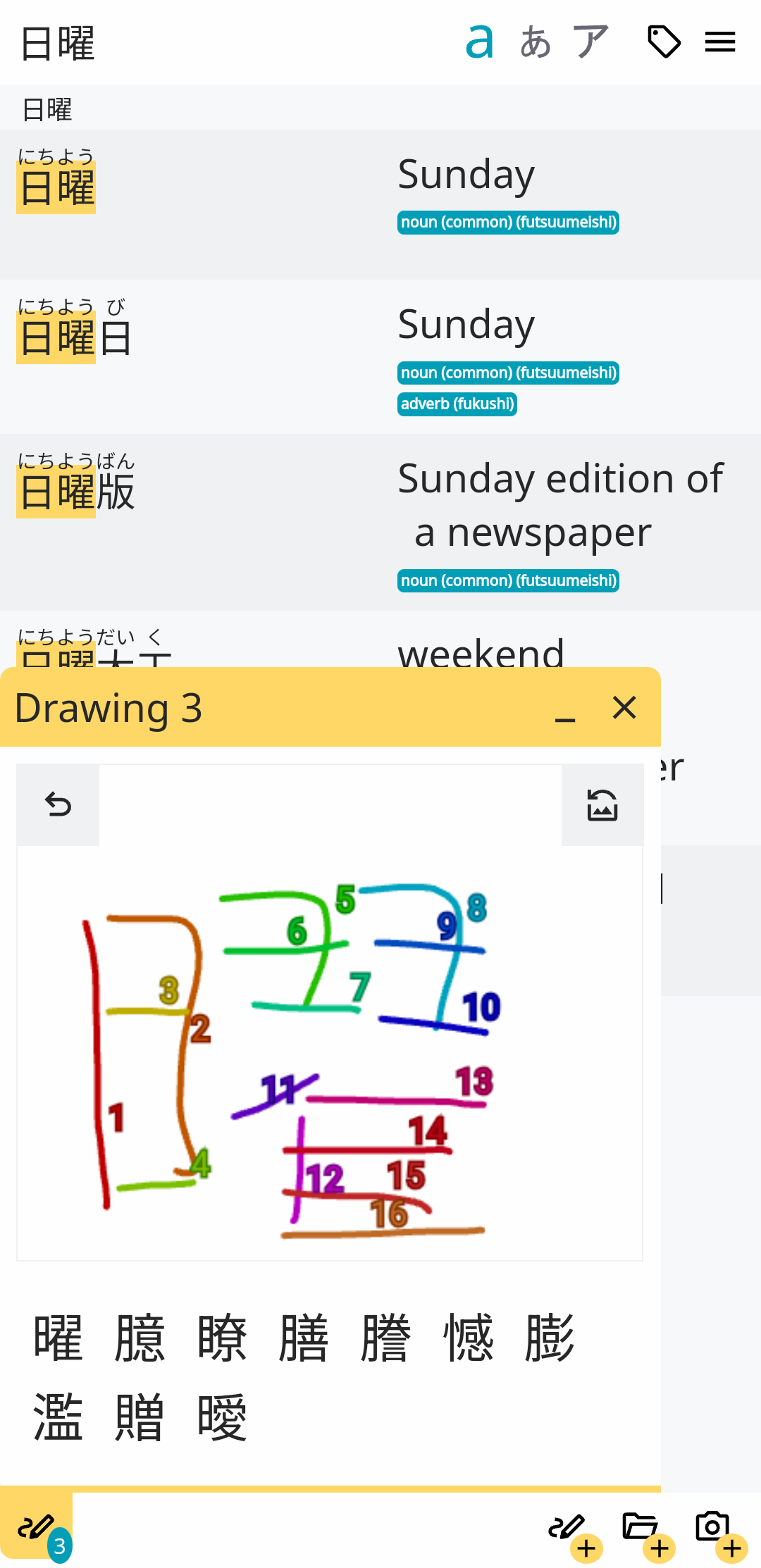
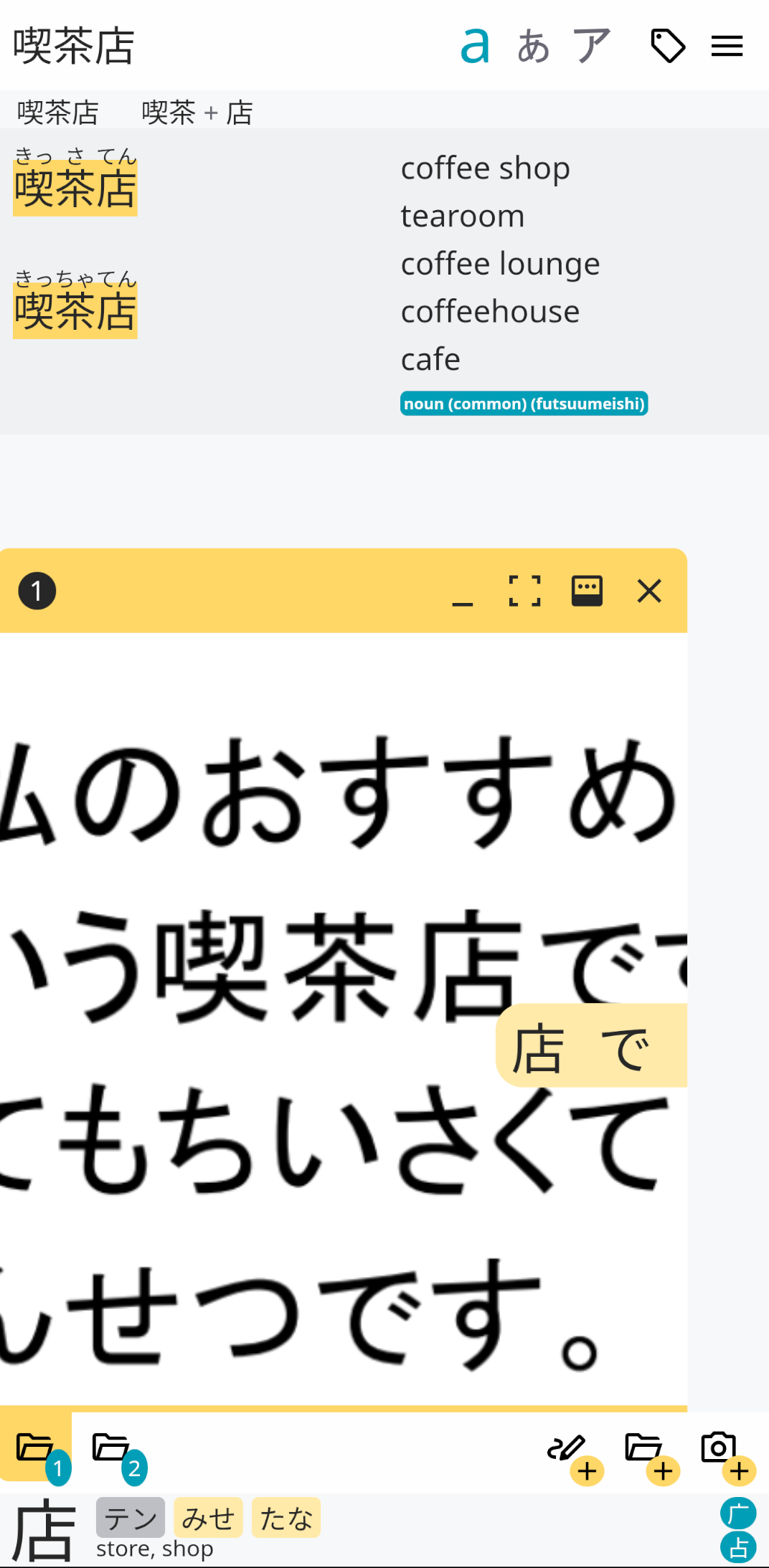
OCR
- take a photo of your text from app, or import photo or file
- automatic detection of characters (Kana & Kanji) - just tap on character and choose the best match
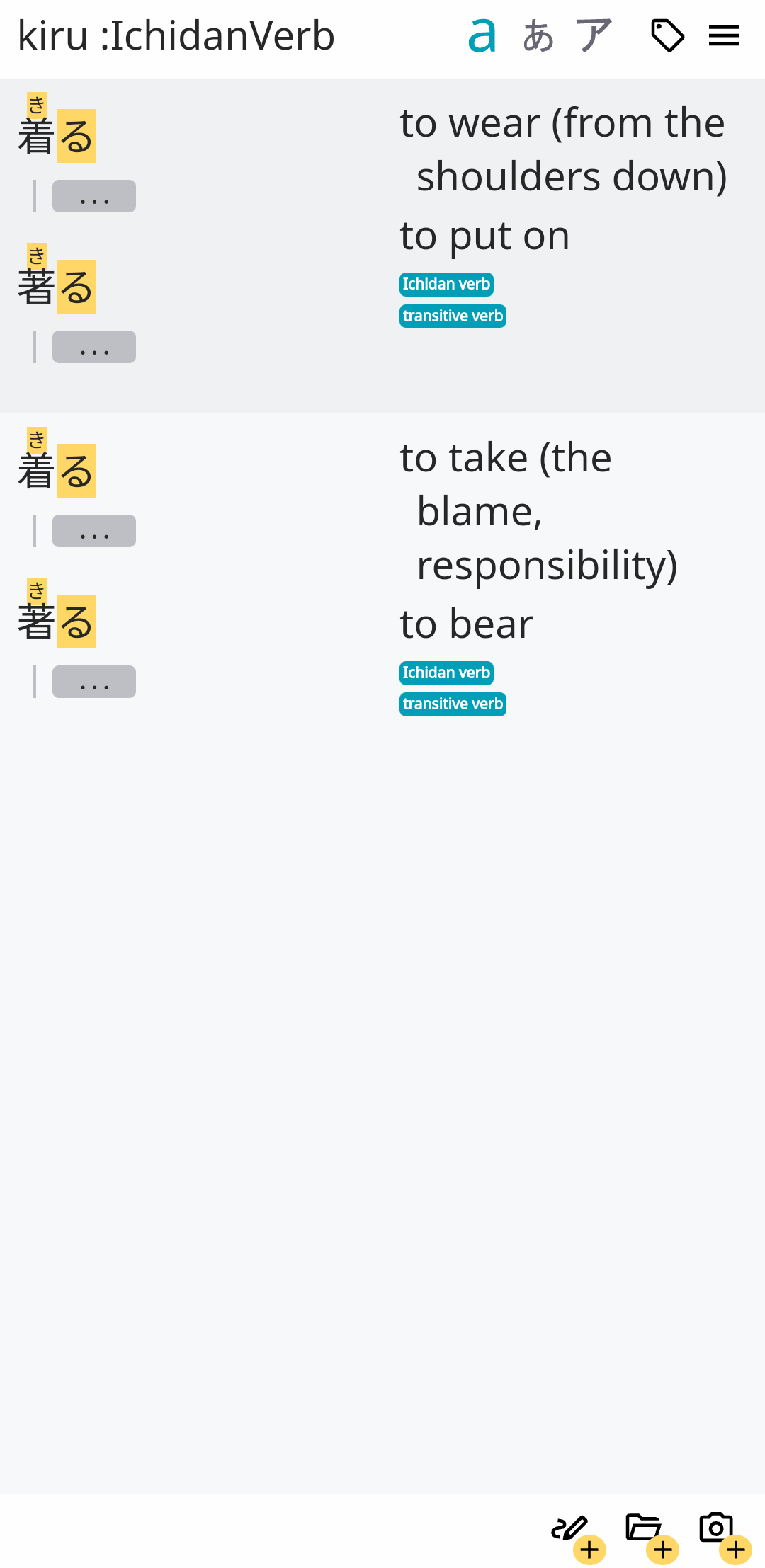
Extended Search
- allows searching in both Japanese and English simultaneously
- + operator working as Boolean AND (e.g. “suru + do” to get only: する - to do)
- extended search within categories only (e.g. “:Ichidan Verb kiru” to get 着る - to wear)
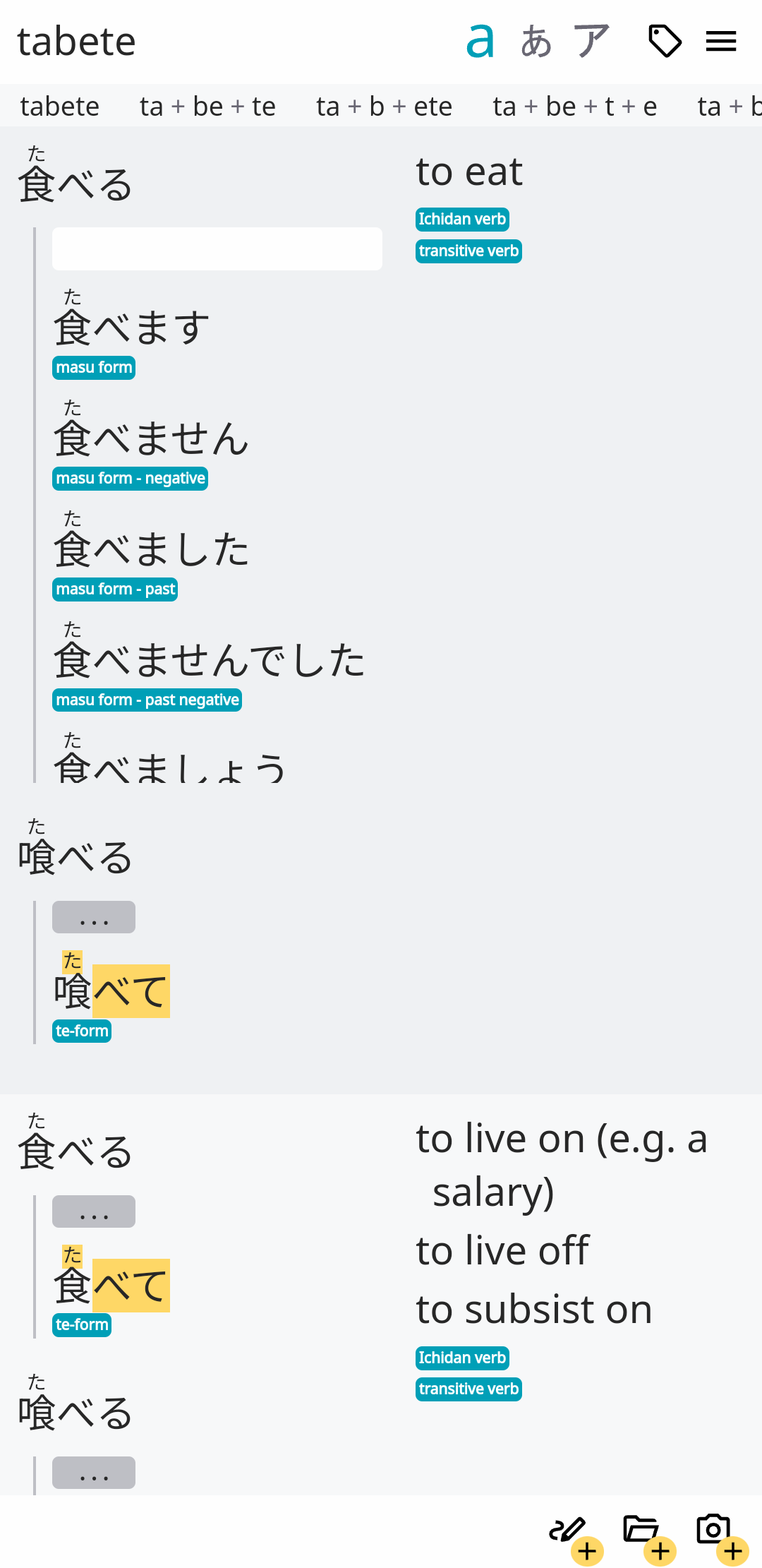
Verb Conjugations, Adjective & Noun Forms
- searches within verb conjugations (e.g. searching “tabenai” will return “taberu”)
- displays available verb conjugations (masu, past plain, past negative, te…) and maps them to table to help you understand how that form was created
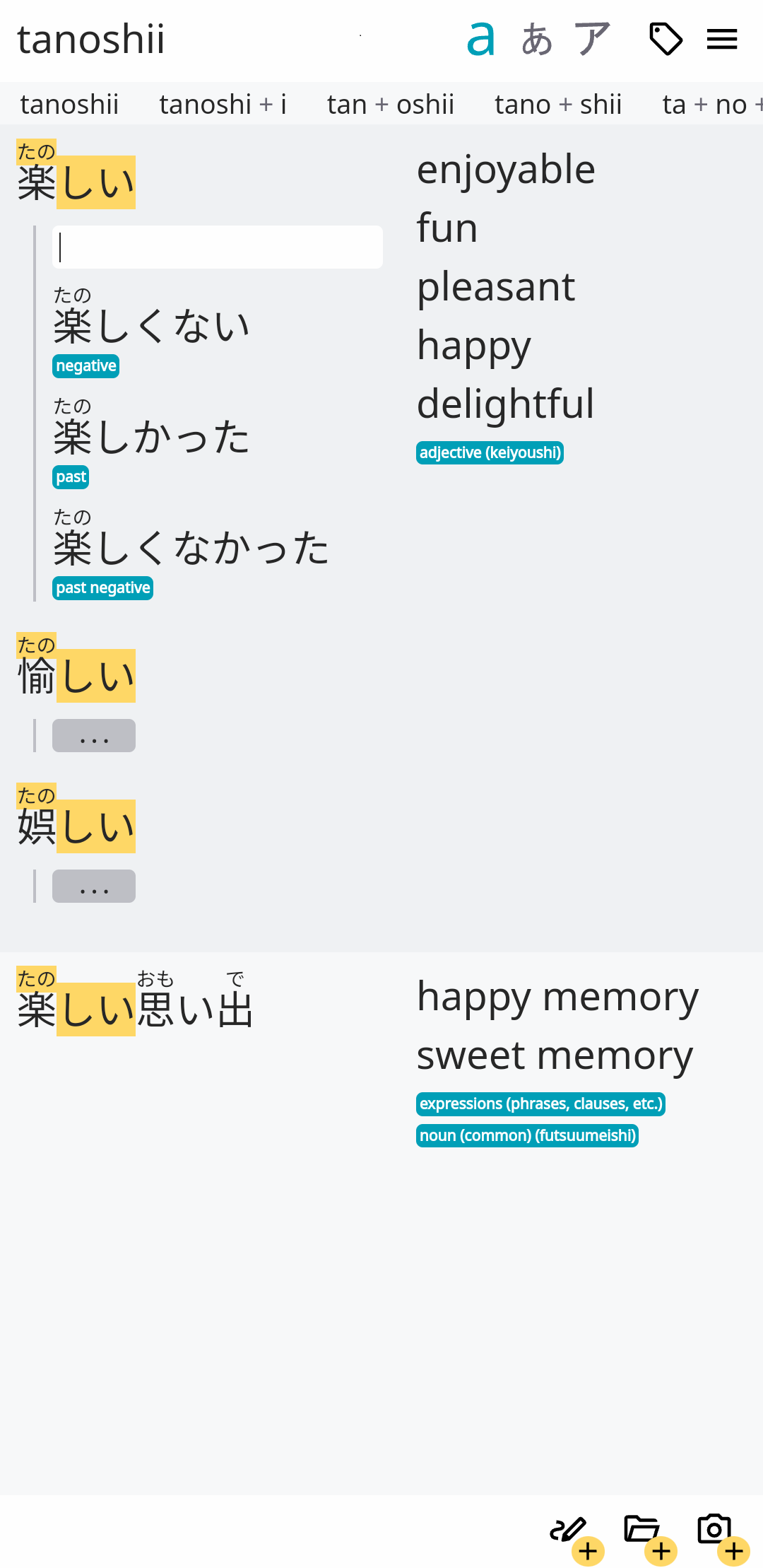
- searches within adjective and noun forms (e.g. searching “tanoshikatta” will return “tanoshii”)
- displays different forms for adjectives and nouns (present negative, past, past negative)
Grammar Patterns
- automatic search also within grammar patterns
- this feature is currently in development
Categories
- words have categories (so you know instantly if you’re dealing with an adjective, adverb, noun, verb…)
- you can search within the categories
- each verb is marked as Ichidan or Godan
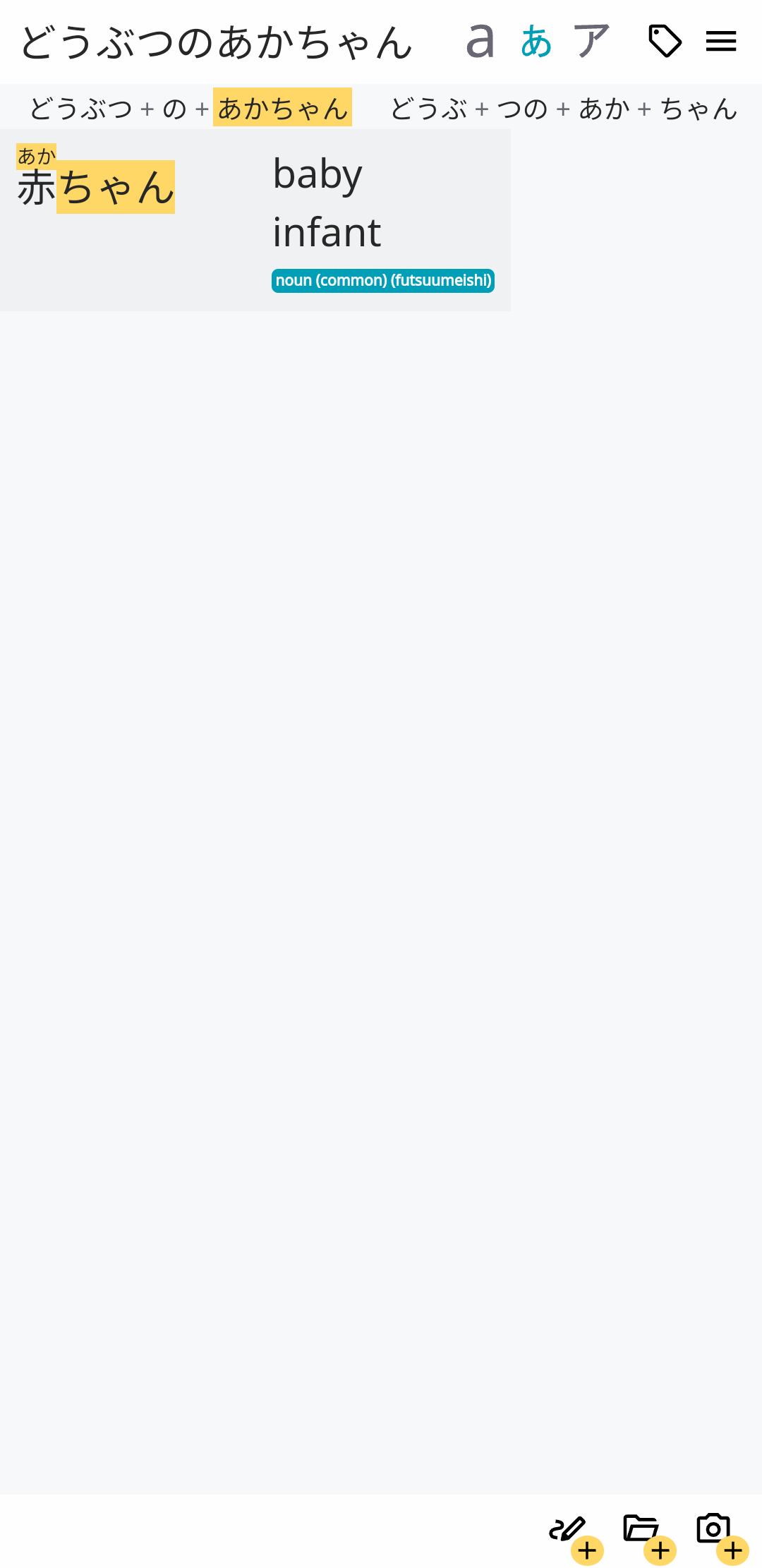
Tokenization
- in case you don’t know where the word starts and ends, you can write it all and explore possibilities thanks to tokenization
Additional Nice Things
- Kanji always has Furigana
- Kanji decomposition available
- search results are ordered based on usage frequency
- parts of words that match your query is highlighted
- simple lightweight design - results are displayed in 2 columns only
- super easy navigation
- multiple tabs of drawings and OCR can be opened and it’s possible to switch between them
Will new funtionality be added?
Yes. The app is still in active development. We’re working hard to make it even better.
Can I suggest a new feature? / How can I report a bug?
Sure! You can do so directly from the app - open Menu, click on “Suggest a Feature / Report a Bug”. Or you can send us a message to:
Is the app free?
The app offers 30-day free trial. During this time all functionality is available.
If you want to continue using the app after the trial period, you have to purchase the app (via in-app purchase).
There are no subscriptions, just single one time payment.
Please note that all purchases are handled by the Stores (Google Play Store / Apple App Store / Microsoft Store). We currently don’t offer direct purchase options.
Where can I get it?
Available on Google Play Store, Apple App Store and Microsoft Store:



Can I try it without downloading the app?
You can try the KodamaDict Lite - it’s a web app with limited features.
It’s available at kodamadict.com
